
MOBILE / ESIM
eSIM: a digital way to connect.
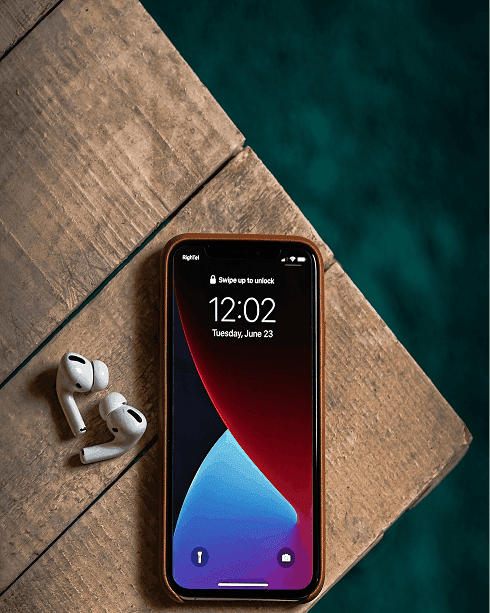
An eSIM is a SIM built into your phone, so you don't need a physical card. You need a compatible device and an eligible plan on the EE network.
ESIM ESSENTIALS
- No physical SIM card
- Compatible device needed
- Eligible plan needed
eSIM details are sent for eligible orders. Timings vary.
Your eSIM Journey
From checking your phone to your eSIM working.
Check your device
Choose a plan
10GB
/month
20GB
/month
50GB
/month
Unlimited
/month
eSIM or physical SIM
Physical SIM
Delivered to your address
eSIM
Get an activation code to set up on a compatible device
Keep or change your number
Keep my existing number
I have a PAC code
Switch without keeping my number
I have a STAC code
Get a new Zoiko number
Text PAC to 65075 or STAC to 75075 to get your code. Don't enter codes here — we'll ask for them securely.
Enter your details
Never enter card details or passwords here. Your eSIM QR code is sent to this email for eligible orders.
Get your QR & activate
(EE via BT Wholesale)
- Your order is confirmed
- Zoiko requests your eSIM profile
- Your QR code arrives by email
- Scan, install & test your line
Then manage everything in MyZoiko.
CHOOSE A TASK
What do you need to do?
BEFORE YOU START
Your eSIM checklist
A compatible phone
Check your phone settings or the manufacturer's website.
An eligible plan
Not every plan supports eSIM.
An internet connection
Wi-Fi is needed to download your eSIM.
Secure email access
Your eSIM details may be sent by email for eligible orders.
HOW IT WORKS
From order to active
Timings vary. We don't promise instant activation.
Choose a plan
Pick an eligible plan.
We confirm eligibility
For your plan and device.
You receive your details
For eligible orders, usually a QR code by email.
Install on your phone
Follow your device's steps.
Test your line
Make a call and check data.
Need help?
Contact our team if anything doesn't work.
DEVICE GUIDES
iPhone and Android
General steps. Labels vary by model.
iPhone
Go to Settings › Mobile Service (or Mobile Data) › Add eSIM, then scan the QR code.
Apple eSIM support ↗Android
Usually Settings › Network & internet › SIMs › Add eSIM. Menus differ by manufacturer.
Android help ↗STAY SAFE
Protect your QR code
Treat it like a key
Never forward or share your eSIM QR code. Anyone with it could install your line. We will never ask you to send it to us.
MOVING OR REPLACING
New phone, lost phone or switching
New phone
Moving your eSIM may need our help. Contact us before you reset your old phone.
Lost or stolen
Contact us straight away. We'll check your identity before issuing a replacement.
Keep your number
Switching to us? Get a PAC by texting "PAC" to 65075. This is separate from installing your eSIM.
TROUBLESHOOTING
Something not working?
Check your spam or junk folder. Eligible orders usually receive their QR code within a few hours. If it's missing, contact our team.
Ensure your phone model supports eSIM and is unlocked to the network. Older devices or regional variants may lack eSIM hardware.
QR codes can only be scanned once. If you've already scanned it or tried re-using an old code, you will need a replacement from support.
Ensure you have a stable Wi-Fi or mobile data connection before attempting to download your eSIM profile again.
Restart your device, check that your line is toggled on in your mobile settings, and allow a few minutes for network registration.

FAQS
eSIM questions
An eSIM is a digital SIM embedded directly into your phone's hardware, letting you connect without inserting a physical plastic card.
Yes! Many modern smartphones support Dual SIM functionality, allowing you to use a physical SIM and an eSIM (or two eSIMs) simultaneously.
Yes, eSIMs support roaming and international travel exactly like physical SIM cards depending on your plan terms.
Yes, you can request a switch from a physical SIM to an eSIM through your MyZoiko account or by contacting customer support.
Ready for eSIM?
View our plans or get help from our team.